
Bring your roster.
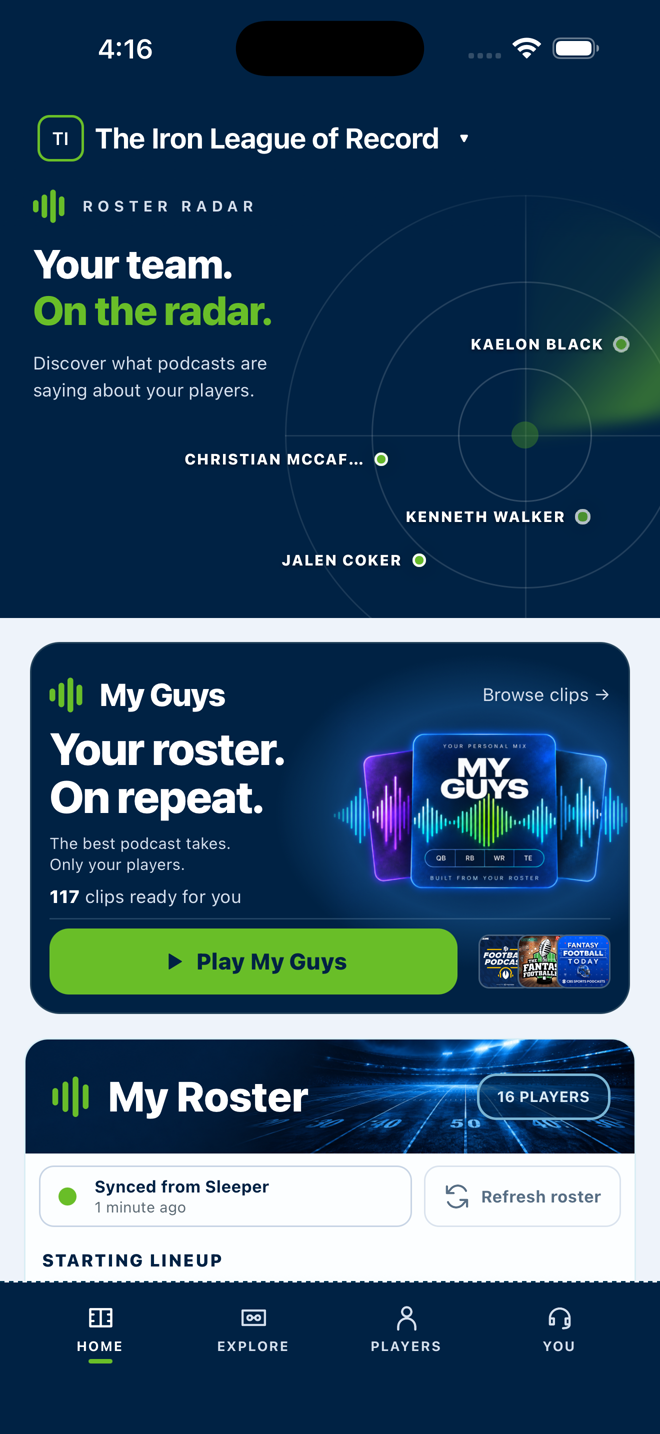
Connect your Sleeper league or build a roster yourself. Switch teams whenever you want.
FANTASY FOOTBALL. IN FOCUS.
The fantasy podcast clips about your roster and the players you follow. All in one place.
Listen on iPhone & Android. Research and manage your roster on the web.
GET TO THE GOOD PART
There’s a lot of fantasy football out there. Roster Byte brings the relevant conversations together, so you can spend your time listening to the takes that matter to you.
Connect your Sleeper league or build a roster yourself. Switch teams whenever you want.
Get podcast coverage for your team. Follow the players on your watchlist, too.
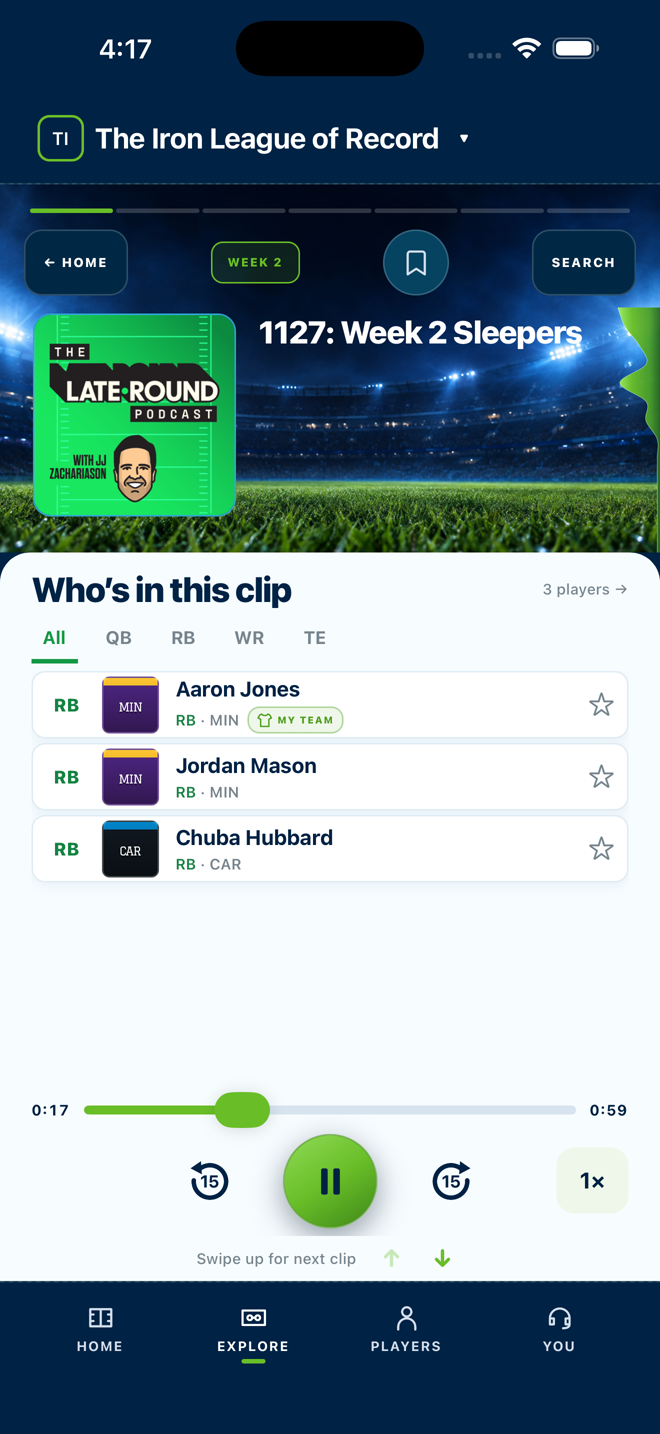
Listen to the original discussions in the mobile app, with the show and episode always in view.
Captured in the iPhone app.
BUILT AROUND YOUR TEAM
My Guys brings the conversations about your players into one listening feed. Your team is the starting point.
HEAR THE ORIGINAL TAKE
Hear the actual podcast discussion. See who’s being talked about, where it came from, and what to listen to next.
FOLLOW YOUR CURIOSITY
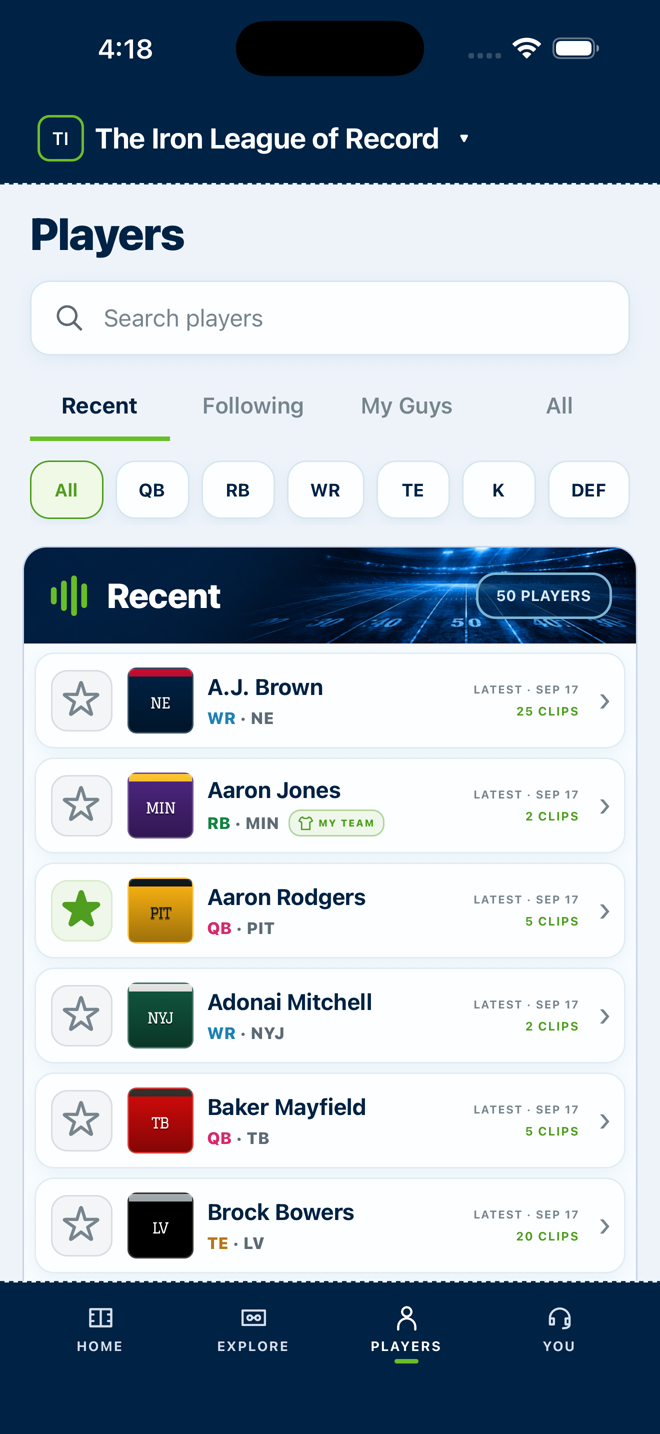
Look up a player. Browse their podcast coverage. Follow the names you want to keep an ear on, even when they’re on someone else’s roster.
MEET YOUR NEW LISTENING HABIT
Explore the screens. Watch Roster Byte in action.
Then make it your own.
THE IPHONE EXPERIENCE
Real iPhone footage. Your team, in focus. Roster and clip availability change over time. Podcast playback is available in the mobile apps.
Ready to explore yourself? Open the web appHOME · Your roster, on repeat.
YOUR CHOICE OF SCREEN
Explore podcast coverage, research players, and manage your roster in your browser. When it’s time to listen, reach for the iPhone or Android app.
A FEW GOOD QUESTIONS
Download the app for iPhone or Android for the full listening experience. You can also use the web app to explore coverage, research players, and manage your roster.
Connect your Sleeper leagues with your Sleeper username, or build a roster manually. You can keep multiple teams and switch between them in the app.
Yes. The mobile apps play the original podcast discussions from the publisher, with the show, episode, and relevant players clearly identified. Roster Byte helps you find the conversation.
Yes. Follow players you’re researching, considering in a trade, or watching on waivers. Your followed players are available across your rosters.
Podcast playback is available in the iPhone and Android apps. The web companion lets you explore coverage and manage your players, rosters, and saved clips.

YOUR TEAM HAS A LOT TO TALK ABOUT.
Download Roster Byte today.